
Quick Recharge
Top up your smart meter with mobile money or card — credit reaches your meter automatically.
- Verify
- Meter
- Amount
- Pay
Confirm you're human
Enter the characters from the image to continue.
Find your meter serial
Look under the barcode on the meter face and enter that number below.
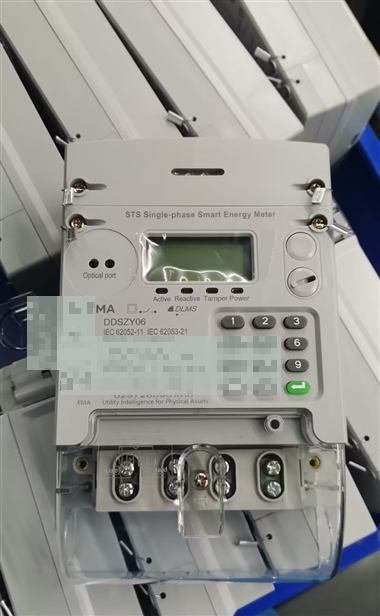
Look under the barcode (blurred here). Example format: 012*******012
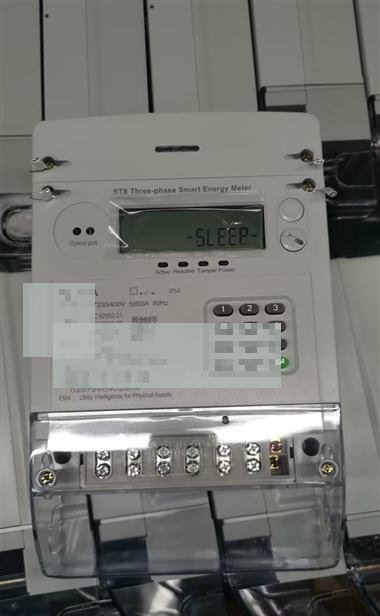
Look under the barcode (blurred here). Example format: 012*******012
Top up this unit
Choose how to pay
- Unit
- —
- Building
- —
- Amount
- —
You'll receive a USSD prompt on this phone to approve with your PIN.
Card checkout opens in a new window. After payment is confirmed, meter credit is applied automatically.
Waiting for payment
Approve the USSD prompt on your phone. We'll keep checking status automatically.
Credit delivered to meter
Credit was sent over LoRaWAN. No keypad entry needed if the meter is online.
Token (keep for your records)
Enter token on meter keypad
Downlink was not confirmed — enter this STS token on the meter keypad.
Preparing meter credit…
Payment confirmed. Waiting for credit delivery (token or LoRaWAN downlink).
Delivery issue
Payment may have succeeded but meter credit could not be confirmed. Contact support with your order reference.